LocalNet
Powered by Google
  • Start Page|
  • My Account|
  • Webmail|
  • Calendar|
  • Shopping|
  • Help
  • Top Stories
  • US News
  • International
  • Sports
  • Entertainment
  • Business / Finance
  • Health
  • Science
  • Technology
  • Offbeat News
WebMail
V-Stop E-mail virus protection. Protect your computer
Zap2it.com -- Movie news, reviews, trailers and times
Zap2it.com Movies -- find a review, trailer or movie times at your local theater

Zap2it.com TV listings for broadcast, cable and satellite television

Customer Support Center
answers, tutorials, and software downloads

Webmail: Setting the Message Composition Default to Plain Text

  1. Click on the "Options" at the top of the screen.

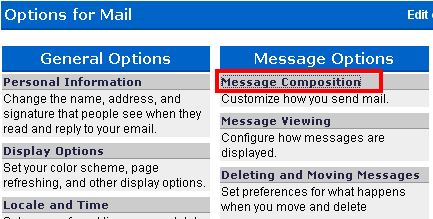
  2. Under the "Message Options" click on the "Message Composition" text.
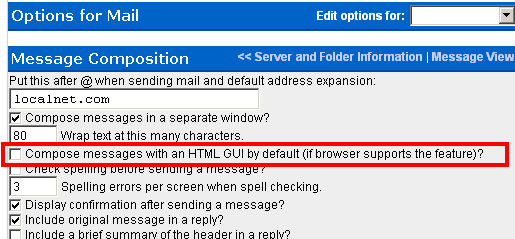
  3. Then, Uncheck "Compse messages with an HTML GUI default (if browser supports this feature).
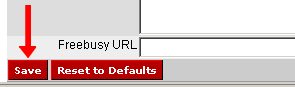
  4. Click the "Save Options" button.
News content provided by the Associated Press. Weather content provided by Weather Underground
© 1994-2013 LocalNet Corp. All Rights Reserved