- Top Stories
- US News
- International
- Sports
- Entertainment
- Business / Finance
- Health
- Science
- Technology
- Offbeat News




Customer Support Center
answers, tutorials, and software downloads
Setting the Message Composition Default to Plain Text
-
Click on "Settings" at the top right part of the screen.

-
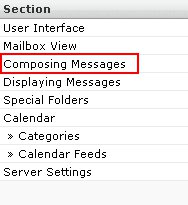
On the far left side, click on the "Composing Messages" text.
-
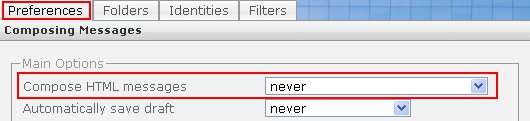
Make sure "Preferences" is selected on top. Then under "Compose HTML messages" select "never".
-
Click the "Save" button at the bottom of the page.