- Top Stories
- US News
- International
- Sports
- Entertainment
- Business / Finance
- Health
- Science
- Technology
- Offbeat News




Customer Support Center
answers, tutorials, and software downloads
Using the Address Book when Composing a Message
-
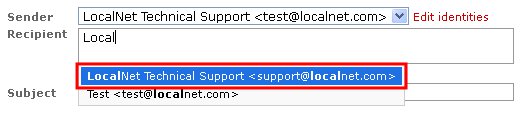
To pull an address(es) from the address book while composing a message, simply begin typing their name or email address in the "Recipient" field, then select their email address when it appears below.
-
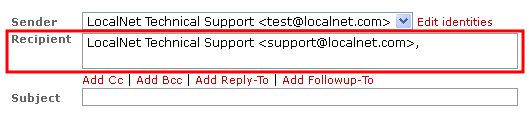
The selected recipients will now have been added to the "Recipient" field of your message.