- Top Stories
- US News
- International
- Sports
- Entertainment
- Business / Finance
- Health
- Science
- Technology
- Offbeat News




Customer Support Center
answers, tutorials, and software downloads
Adding an Entry to the Address Book
-
Click on the "Address Book" button at the top of the screen.

-
Click on the "Add Contact" button.

-
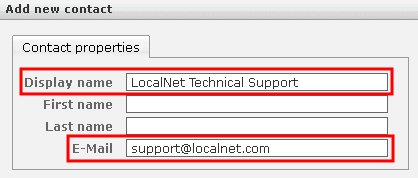
Fill in the "Display Name" and "E-mail" fields. Any remaining fields can be filled in or left blank depending on what you desire.
-
Click the "Save" button.

-
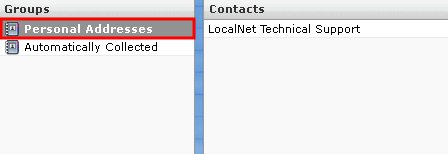
Repeat these steps until you have added all the desired entries. Once you are finished, click "Personal Addresses" on the left side to view all the contacts you have added to your Address Book.